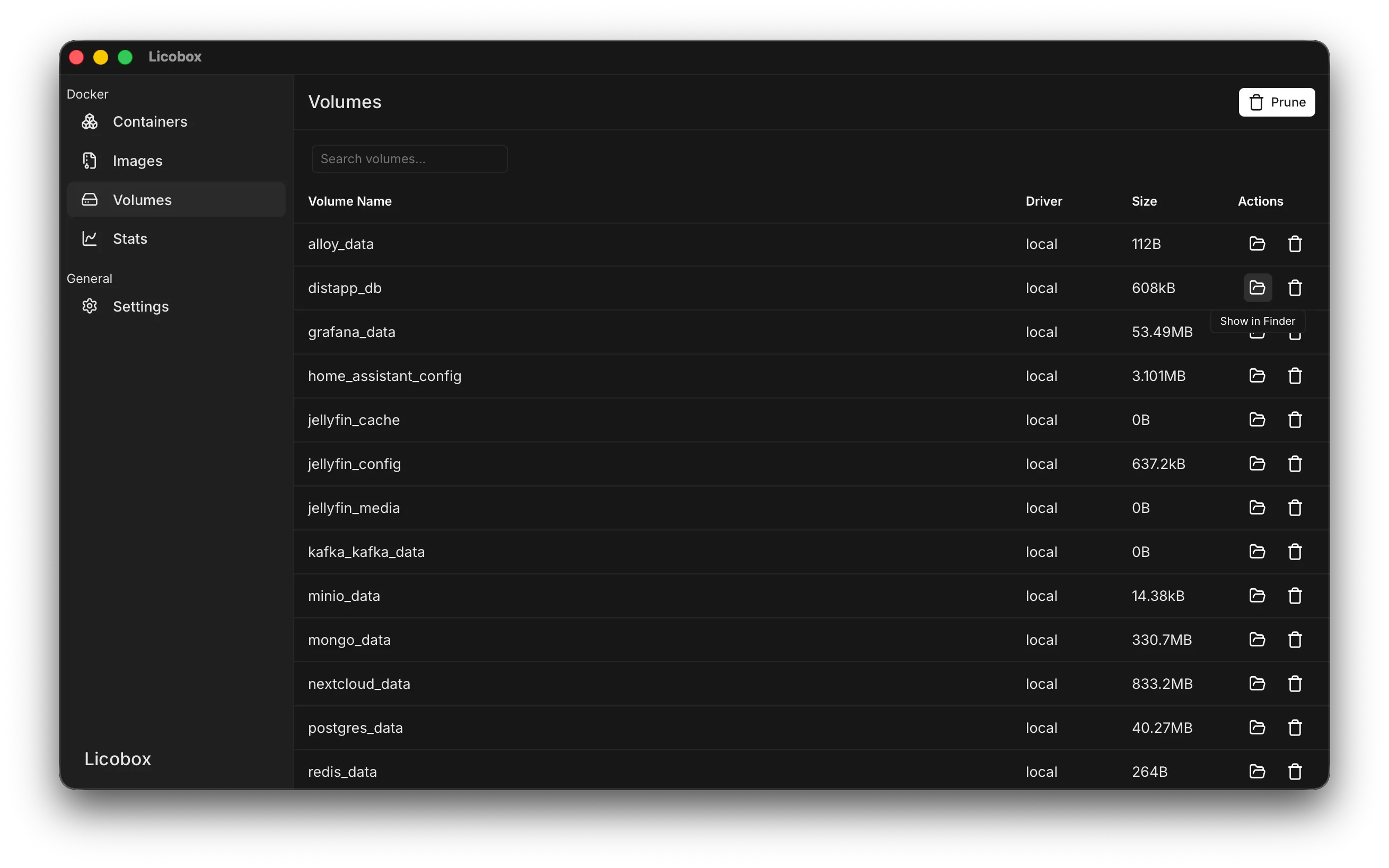
Volume Mounts on macOS
Licobox makes Docker volumes available as native macOS volumes, so you can browse and edit volume files directly from Finder.
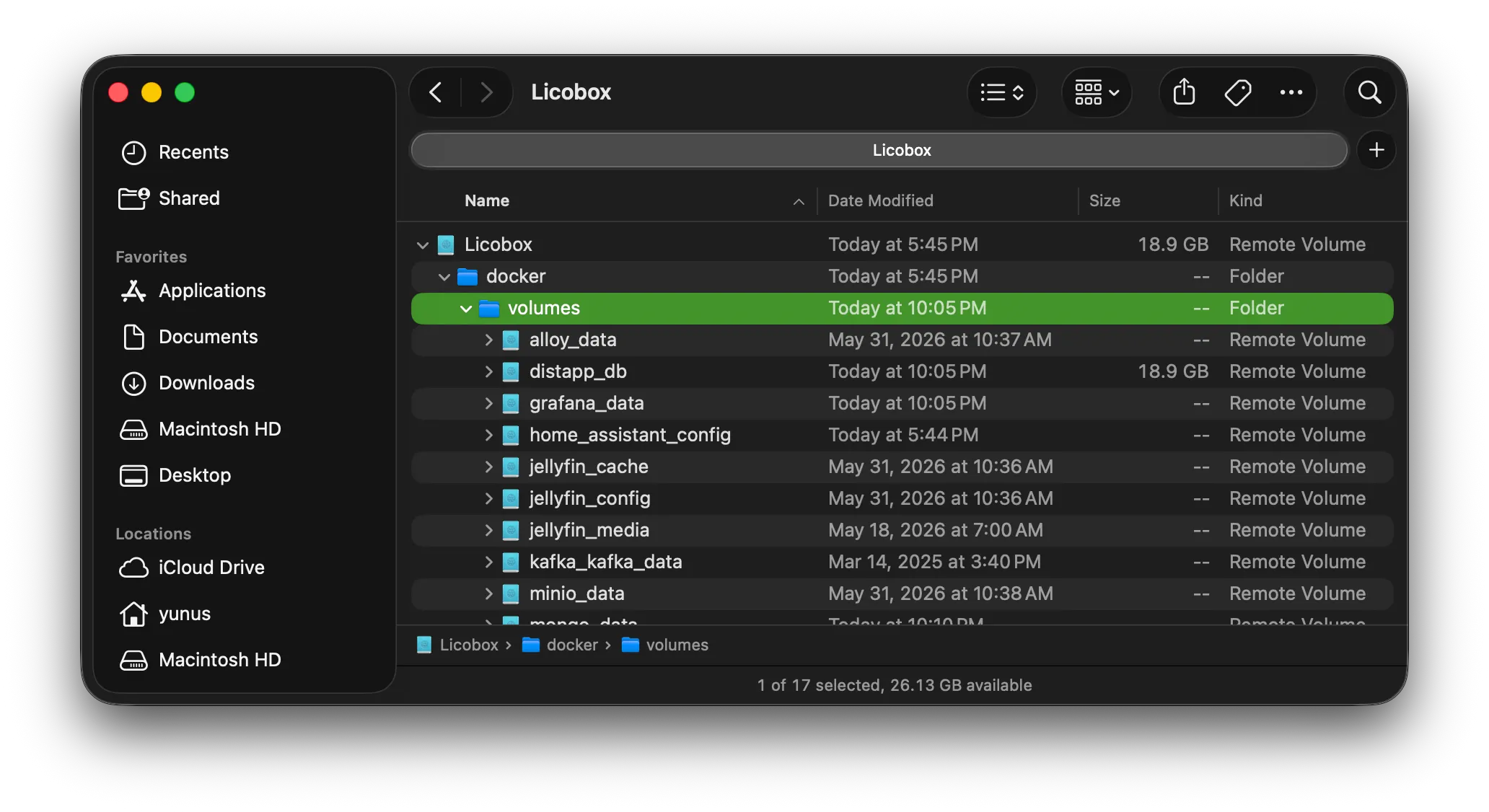
Access volumes in Finder
Section titled “Access volumes in Finder”Docker volumes are mounted under your home directory at ~/Licobox/docker/volumes/<volume-name>. For example, a volume named nextcloud_data is available at: ~/Licobox/docker/volumes/nextcloud_data
You can open ~/Licobox in Finder and browse to docker/volumes to access all mounted Docker volumes.
Open volumes from Licobox
Section titled “Open volumes from Licobox”You can also open a volume directly from the Licobox desktop app. Go to Volumes, find the volume you want to open, then click the folder icon in the Actions column to show it in Finder.